Add Jupyter kernel for course environment
Make sure you have built the eds220-env before creating the kernel.
Open VSCode on your computer.
Add a new bash terminal in it.
Verify you have the
eds220-envconda environment available by running
conda env list- Activate the
eds220-envby running
conda activate eds220-envVerify the environment has been activated.
Run
python -m ipykernel install --user --name eds220-env --display-name "EDS-220 env"- Verify that the kernel has been created by running
jupyter kernelspec listThe output should look similar to this:
Available kernels:
  eds220-env        /Users/galaz-garcia/Library/Jupyter/kernels/eds220-env
  python3           /Users/galaz-garcia/opt/anaconda3/share/jupyter/kernels/python3
Close and reopen VSCode.
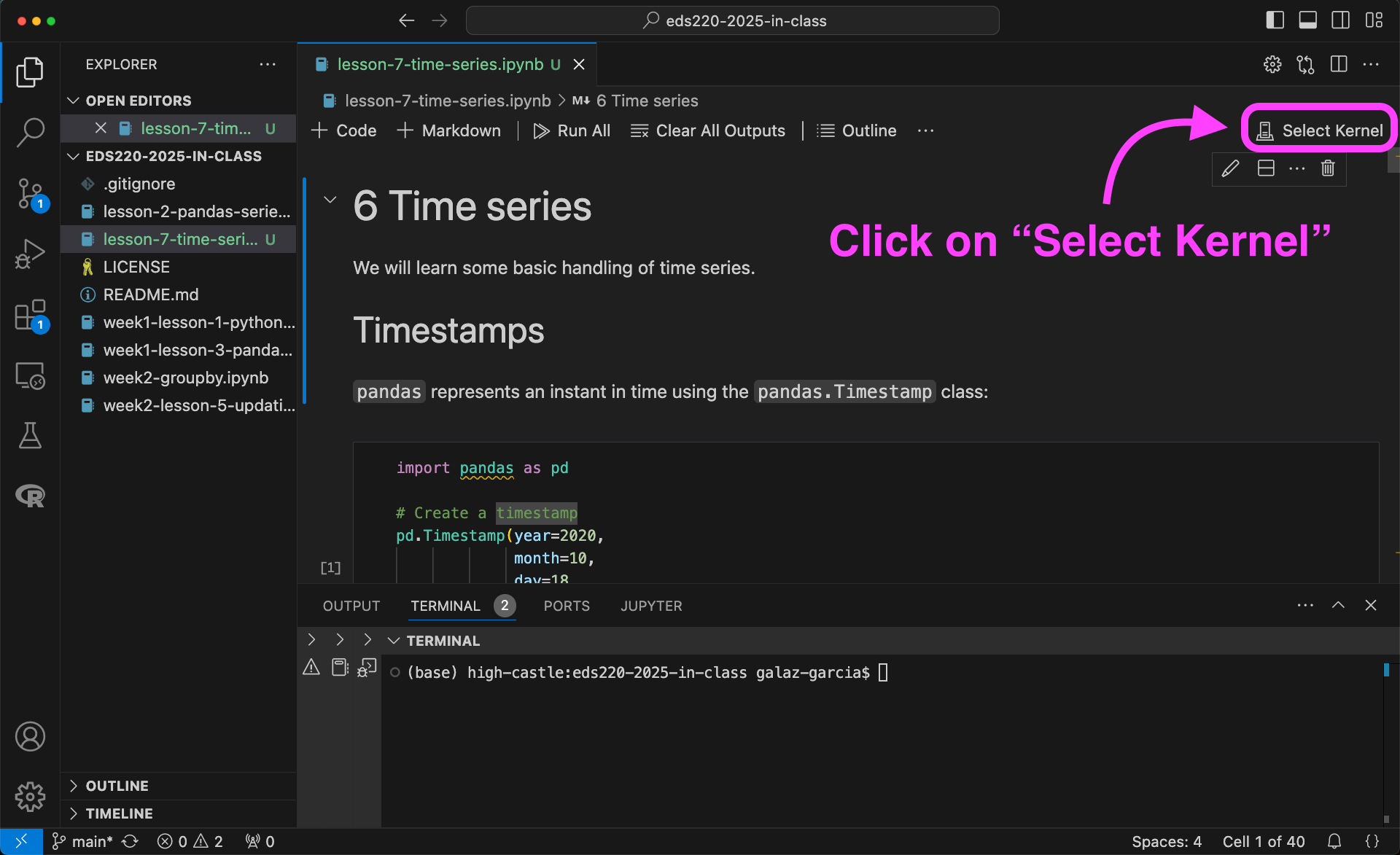
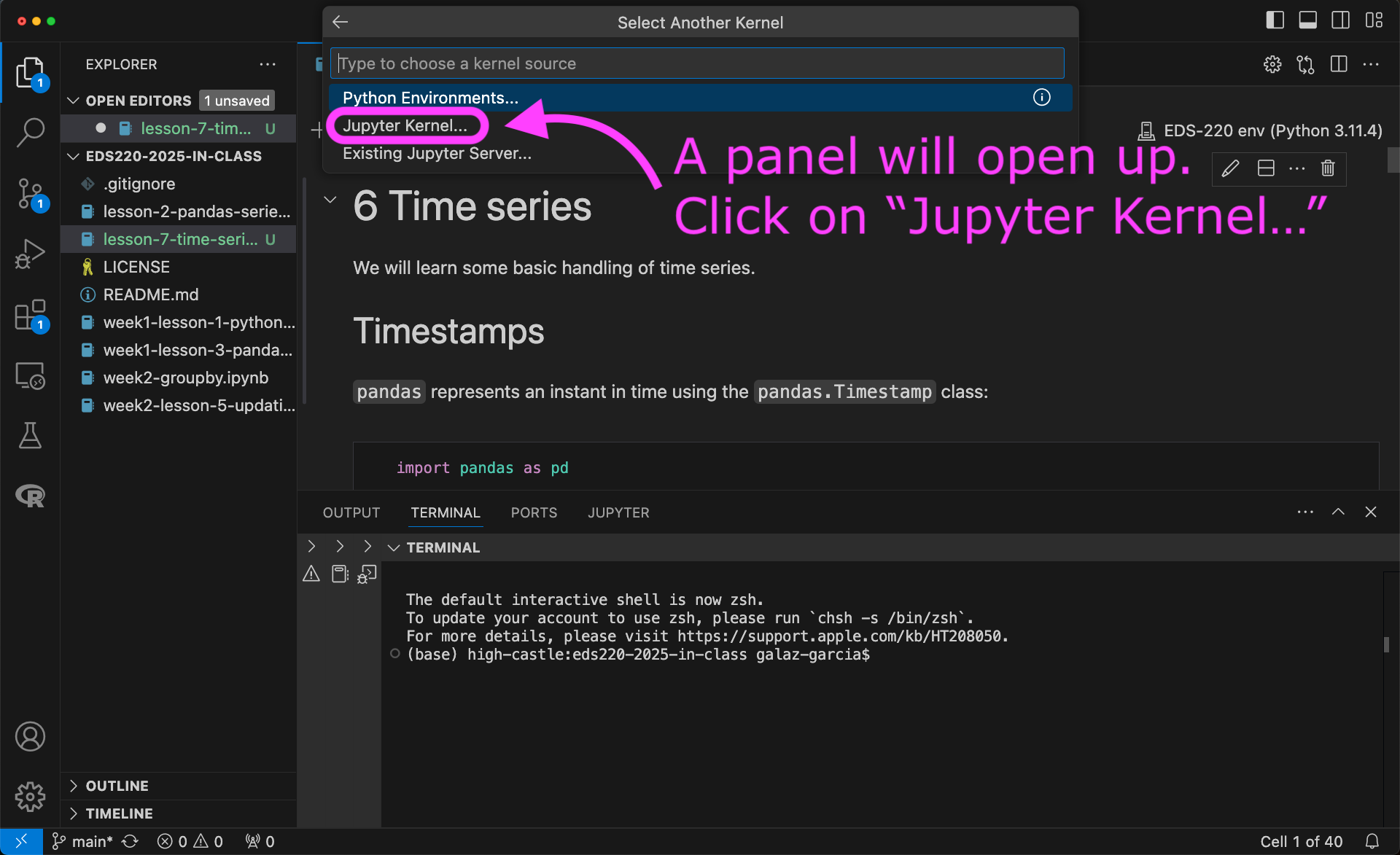
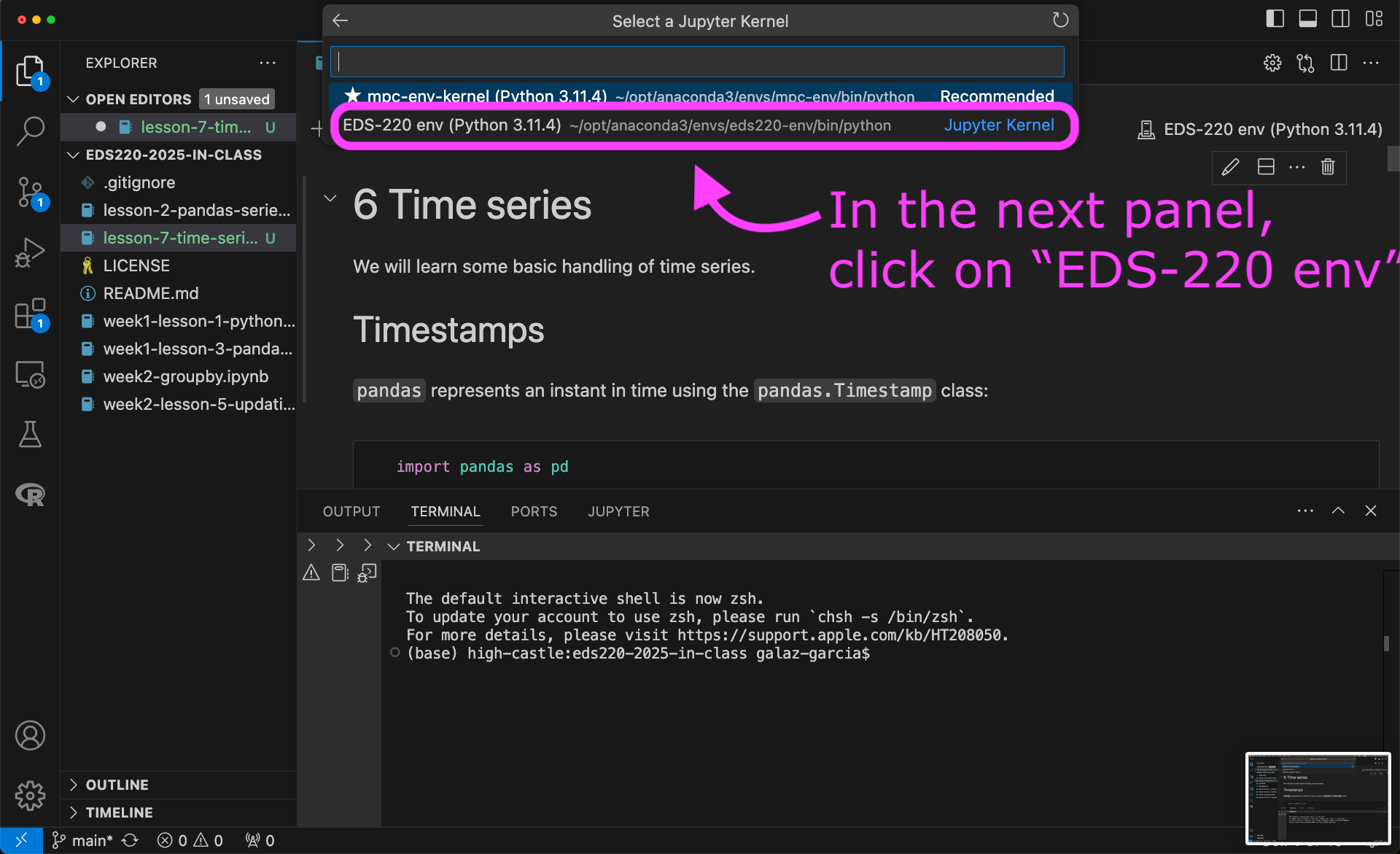
To use the new kernel, open a Jupyter notebook on VSCode and…